Your mobile HMI.

See what’s happening with your equipment, right on your iPhone.

Coming soon to theApp Store

Supported protocols

  • BACnet/IP
  • EtherNet/IP
  • Modbus TCP
  • OPC UA
  • PROFINET
  • S7
  • SIMATIC Web API

Live data from PLCs, drives and building controllers such as Allen-Bradley ControlLogix, CompactLogix and PowerFlex 525, Siemens S7-1500, S7-1200, SINAMICS G120, ET 200SP and Desigo, and Tridium Niagara.

All your sites, one view.

Pocket Panel’s Devices screen for Data Hall 2: seven devices, all connected, with the Chilled Water Plant watchlist above controllers and drives.
Network map from this iPhone: eight connected devices across subnets 192.0.2.0/24 and 198.51.100.0/24, with EtherNet/IP and BACnet/IP labels, and moving dashes on each live connection.

01Network map

View your network.

See saved devices grouped by subnet, with live connection status.
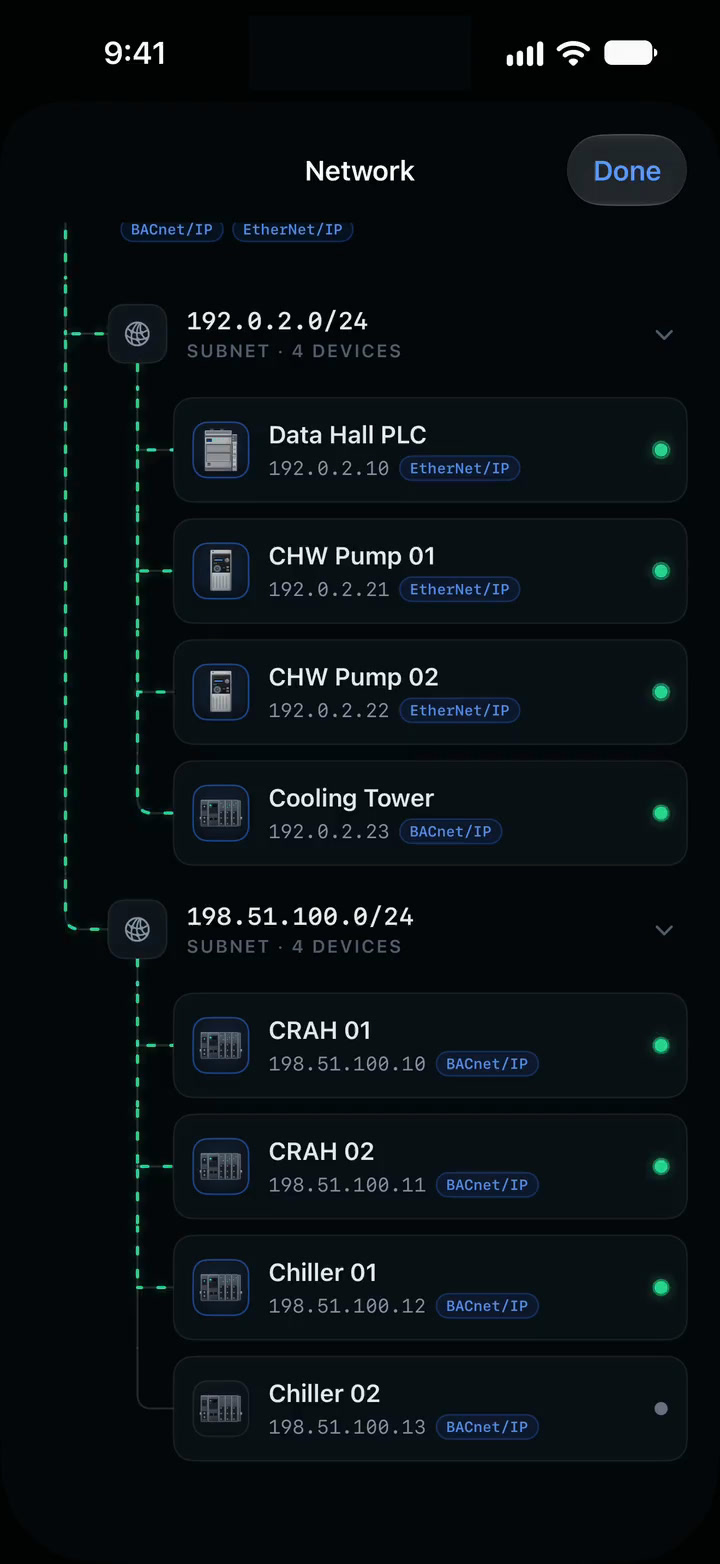
Network map from this iPhone with nothing selected: eight devices across subnets 192.0.2.0/24 and 198.51.100.0/24. Chiller 02 at 198.51.100.13, a BACnet/IP device, is disconnected and its link is still, while the other seven stay connected with moving dashes.

02Live data

Monitor your devices.

Switch between devices and follow tag values in real time.
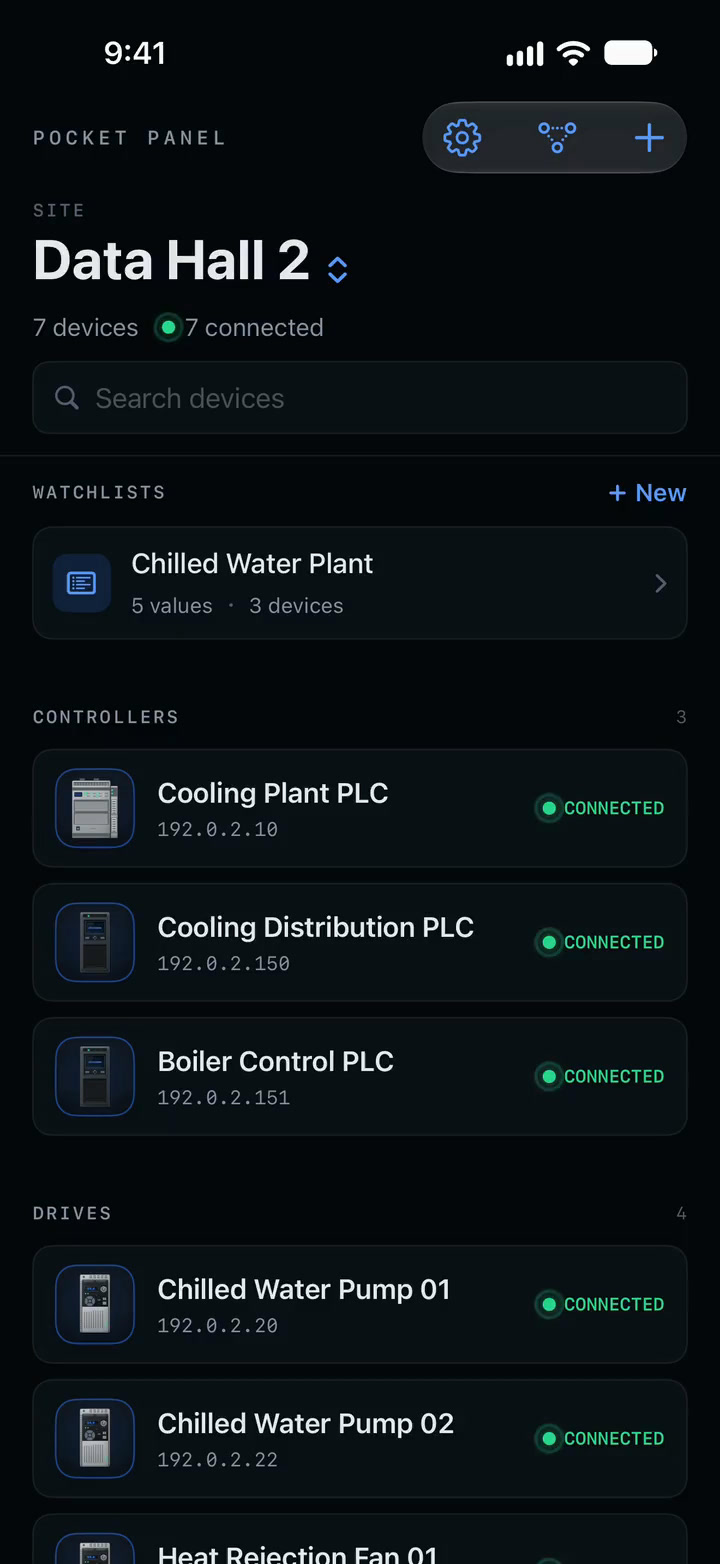
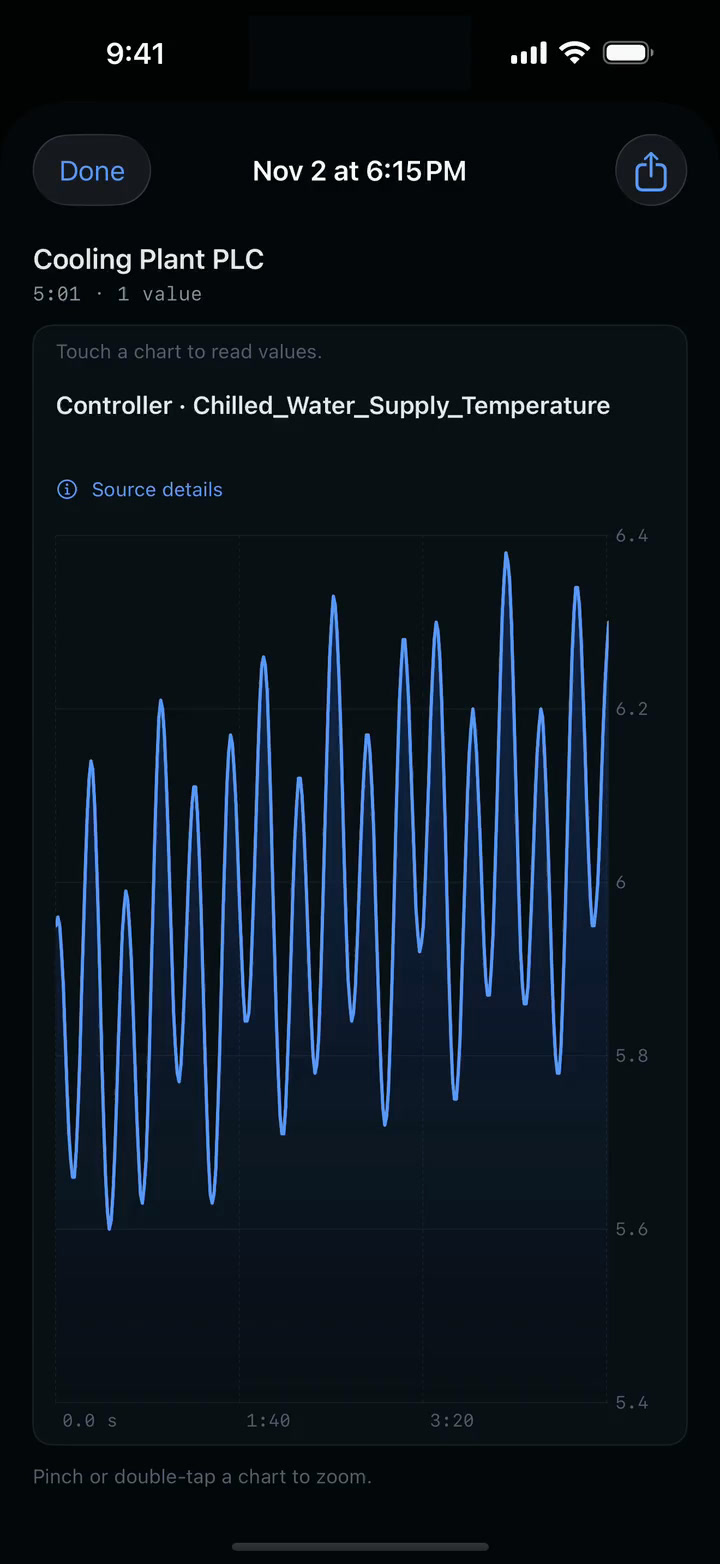
Data Hall 2’s device list with Cooling Plant PLC at 192.0.2.10. The video opens the PLC and taps the chart icon on Chilled_Water_Supply_Temperature, and its live trend starts drawing.

03Drives

Read your drives.

View the drive’s live readings and the fault codes it reports.
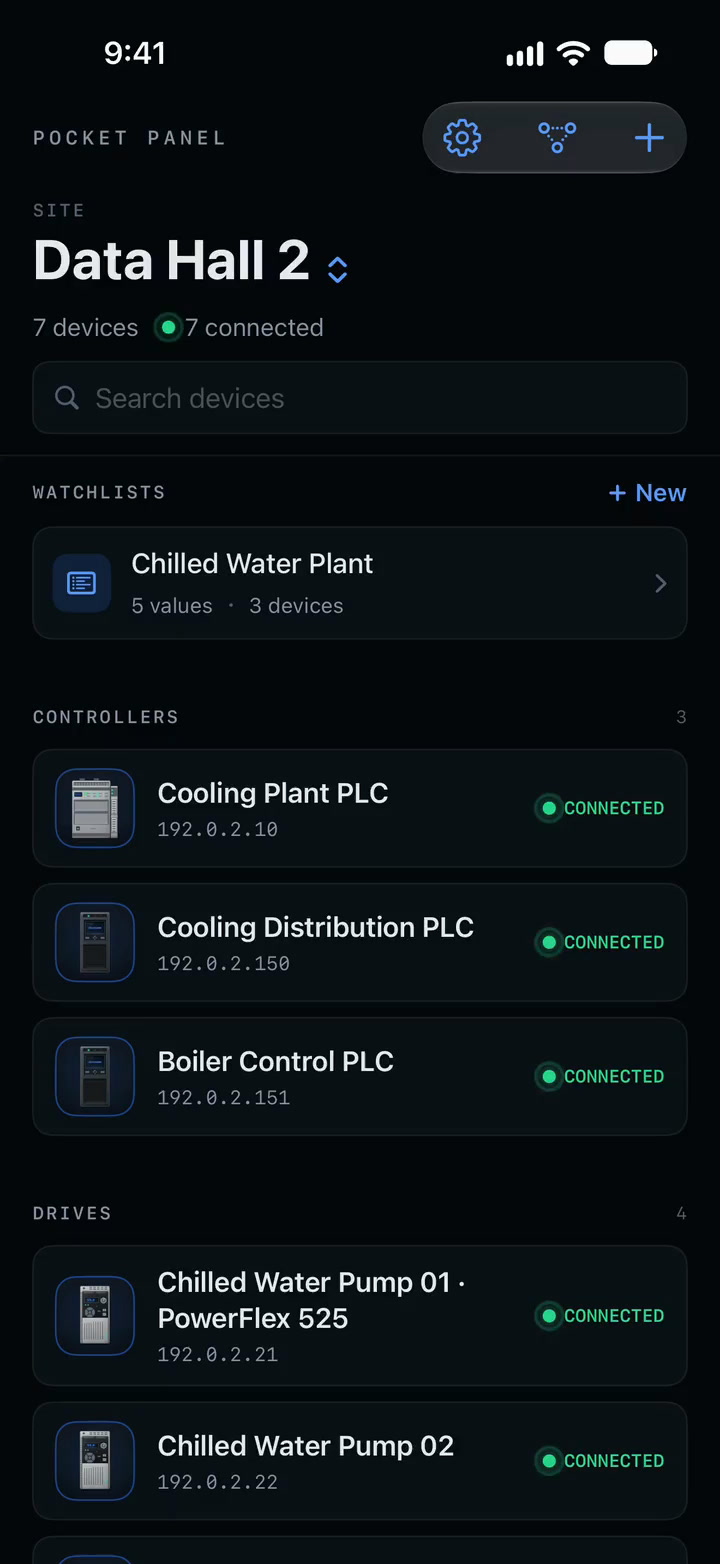
Data Hall 2’s device list. The video opens Chilled Water Pump 01, a PowerFlex 525 led by its device-reported F5 OverVoltage fault, opens the fault’s detail, closes it and stays on the drive’s fault screen: 0 Hz output frequency, 0 A output current and 650 V DC bus voltage.

04I/O checkout

Run live I/O checks.

See only the I/O the device flags as needing attention.
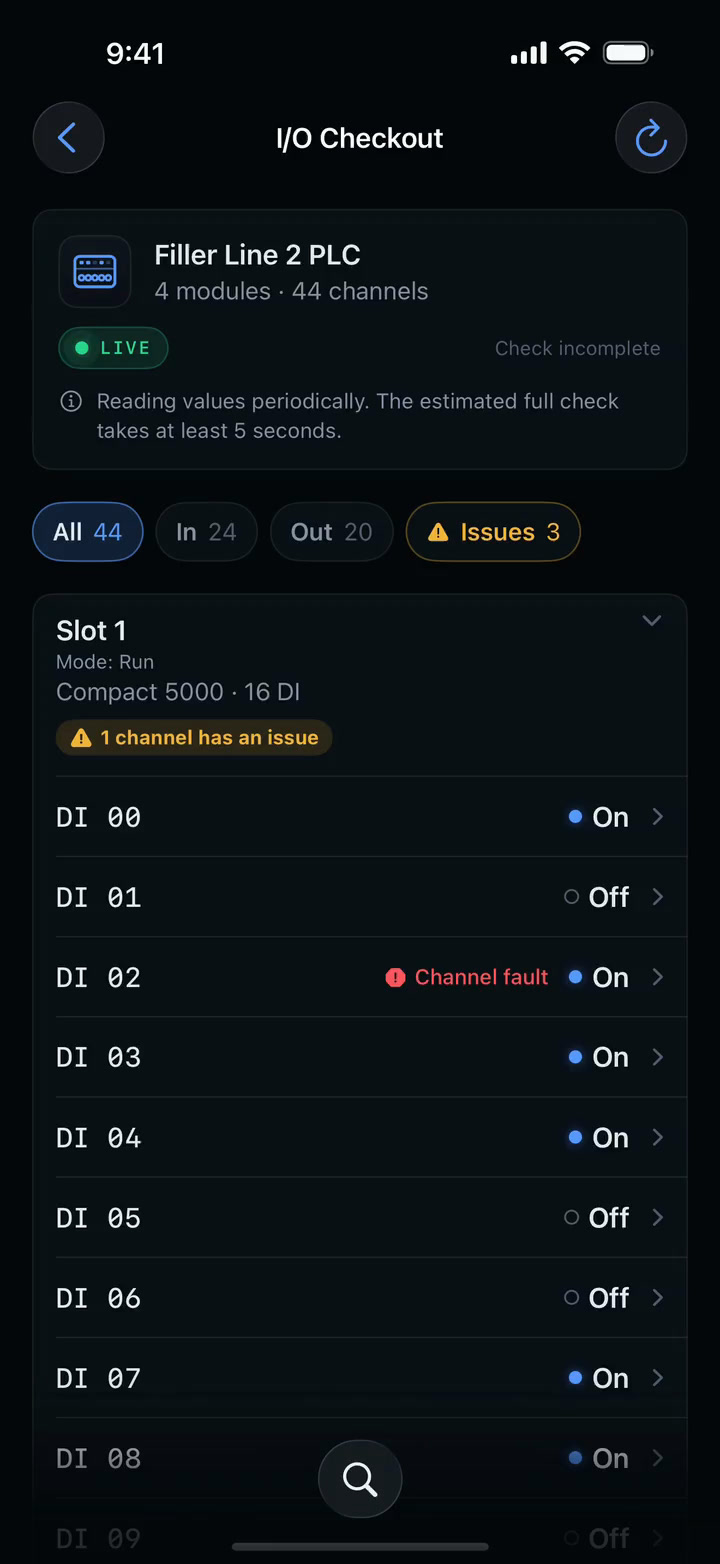
Filler Line 2 PLC I/O Checkout: 44 live channels in four modules, an Issues filter counting three, and DI 02 showing a device-reported channel fault. The video taps Issues, then opens DI 02.

05Alarms

Set alarms.

Get alerted when a value crosses a limit you set while the watchlist is open.
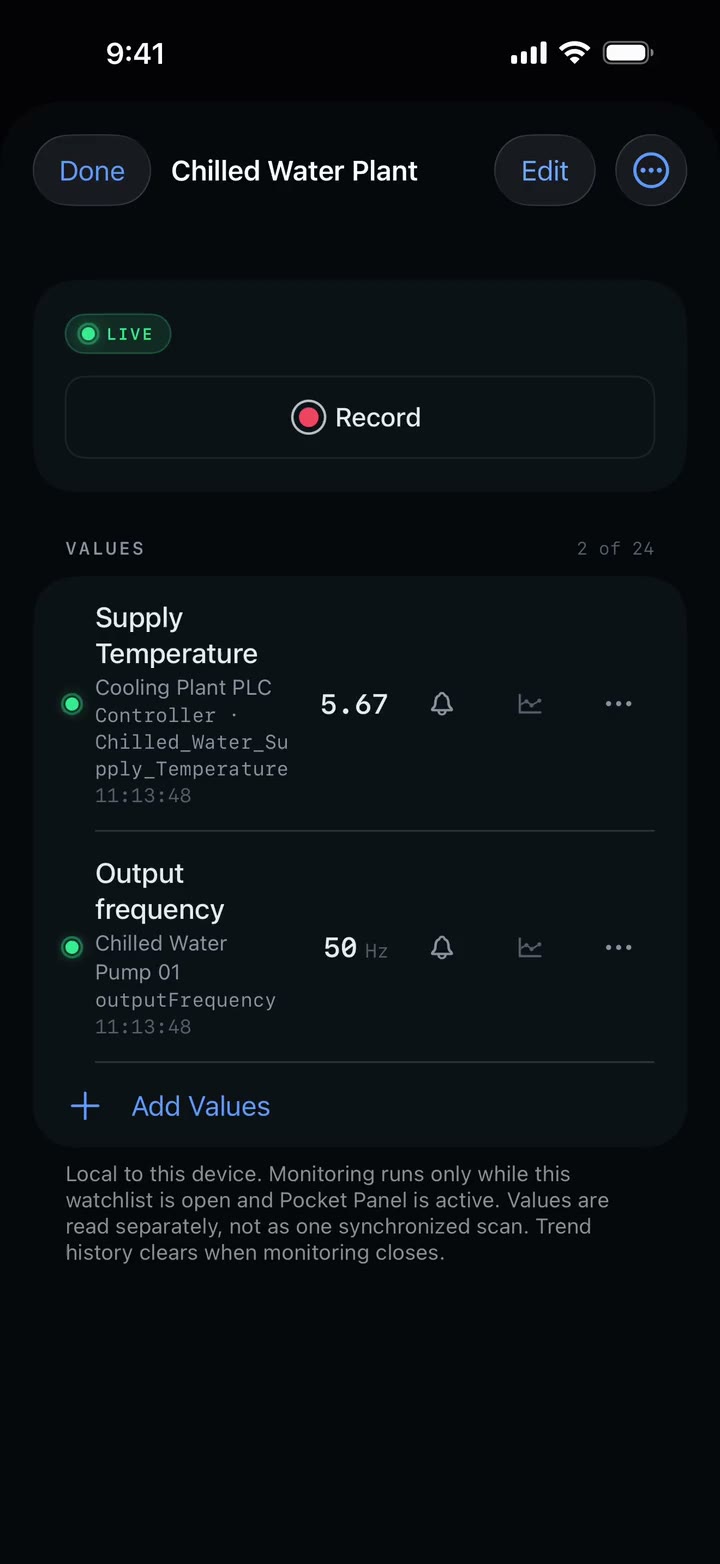
Watchlist Chilled Water Plant reading Supply Temperature from Cooling Plant PLC at 5.67 and rising, beside its alarm bell, above Chilled Water Pump 01 output frequency at 50 Hz. The video sets an alarm Above 5.77; at 5.78 the bell turns red, the row reads Alarm active, and a notice appears.

06Watchlists

Build watchlists.

Track the key values from several devices in one list.
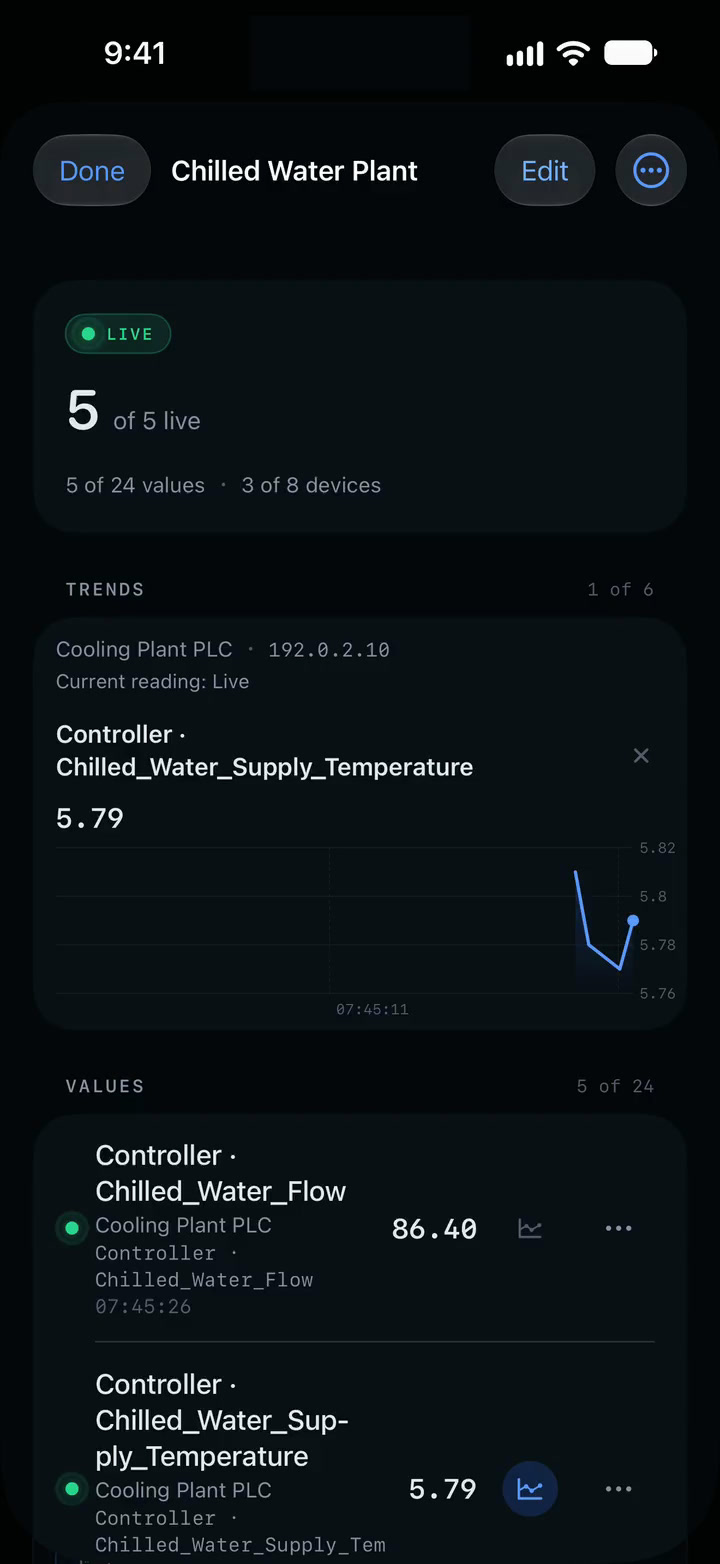
Watchlist Chilled Water Plant: five of five values live from three of eight devices, with a Chilled_Water_Supply_Temperature trend above the values list.

Protocols

Supports the top industrial protocols.

Select one to see it in the app.
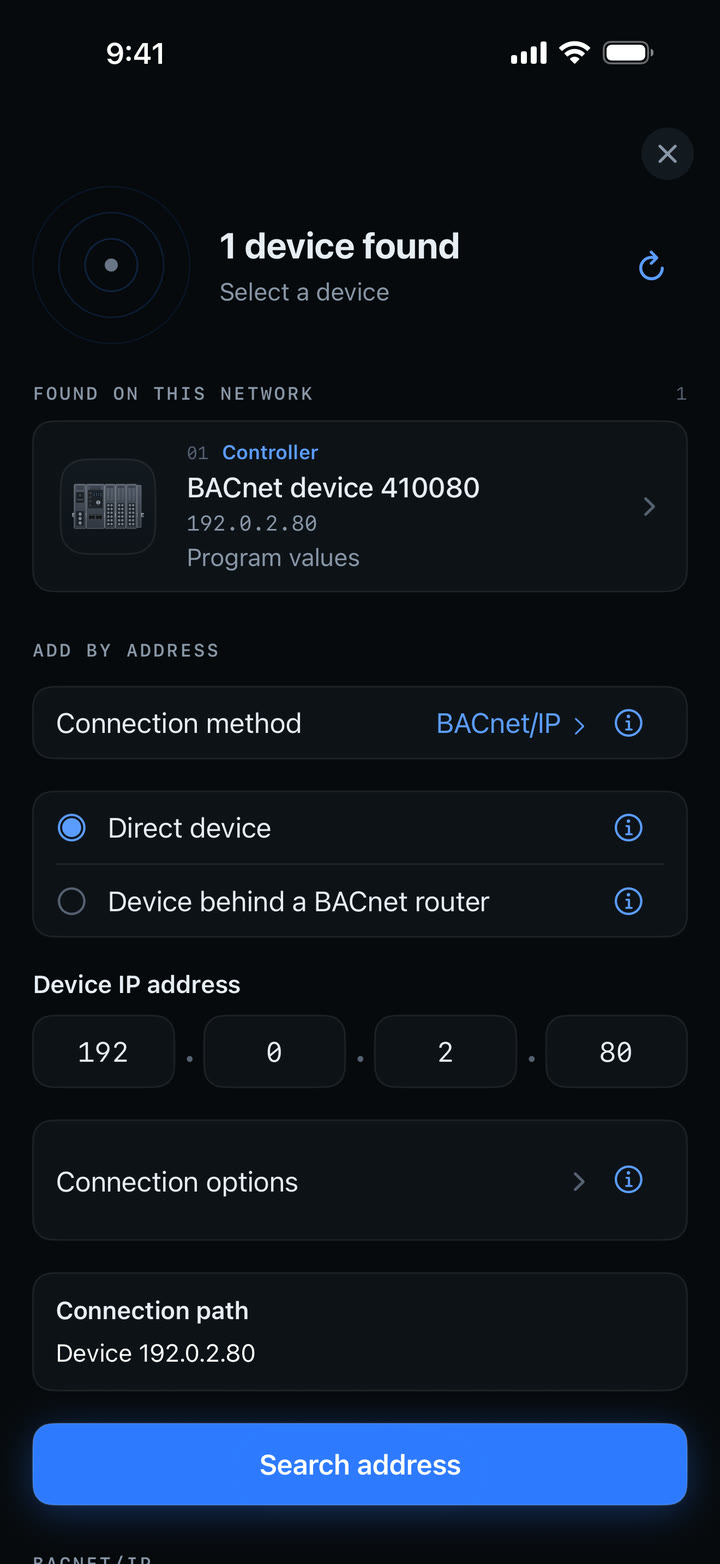
Add Device with Connection method set to BACnet/IP: Direct device chosen, device IP address 192.0.2.80 and connection path Device 192.0.2.80, below BACnet device 410080 at 192.0.2.80 found on this network.
BACnet/IPEnter the device’s IP address, or a BACnet router’s IP and the device’s BACnet address.
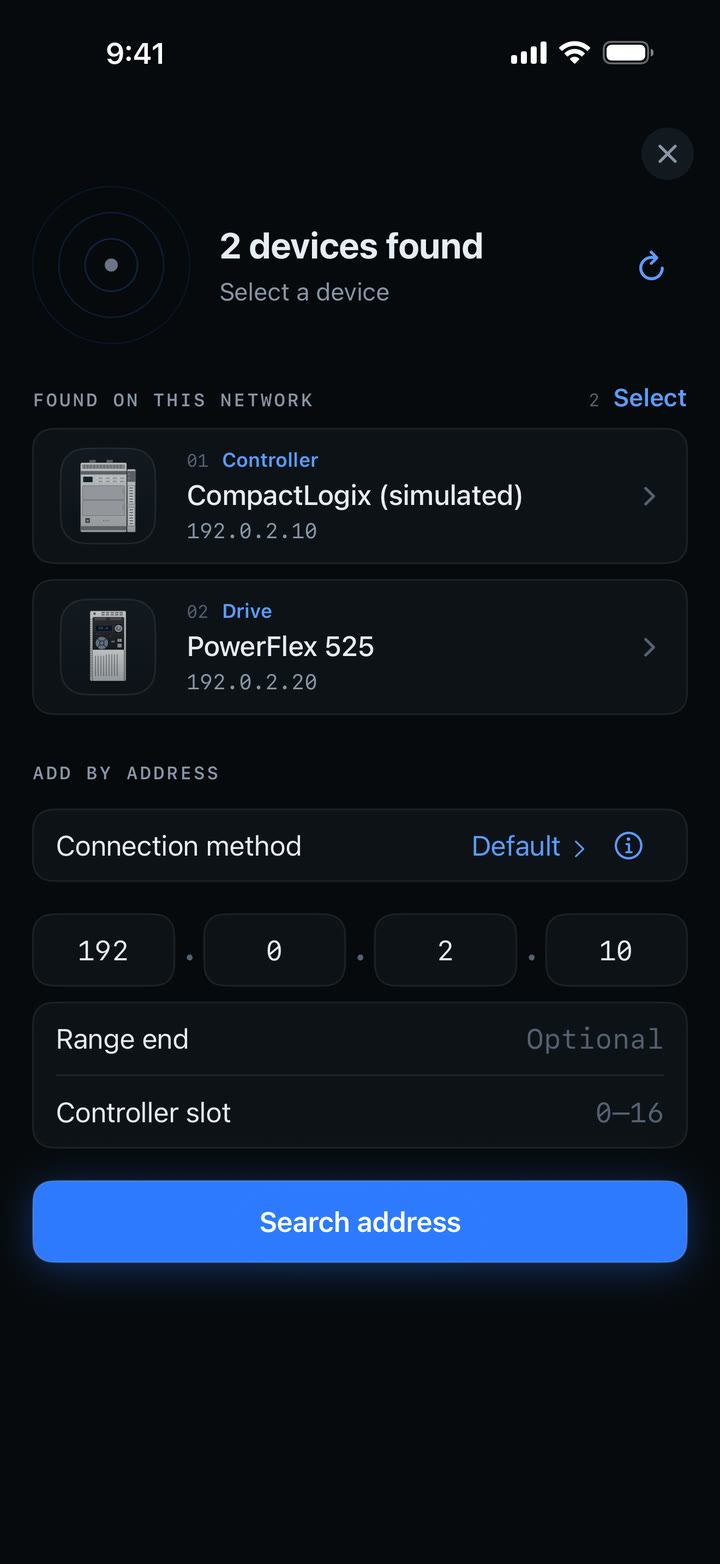
Add Device showing 2 devices found on this network, a CompactLogix controller (simulated) at 192.0.2.10 and a PowerFlex 525 drive at 192.0.2.20, above Add by address with Connection method Default, IP address 192.0.2.10 entered and optional Range end and Controller slot fields.
EtherNet/IPDevices are discovered on the network, or added by IP address.
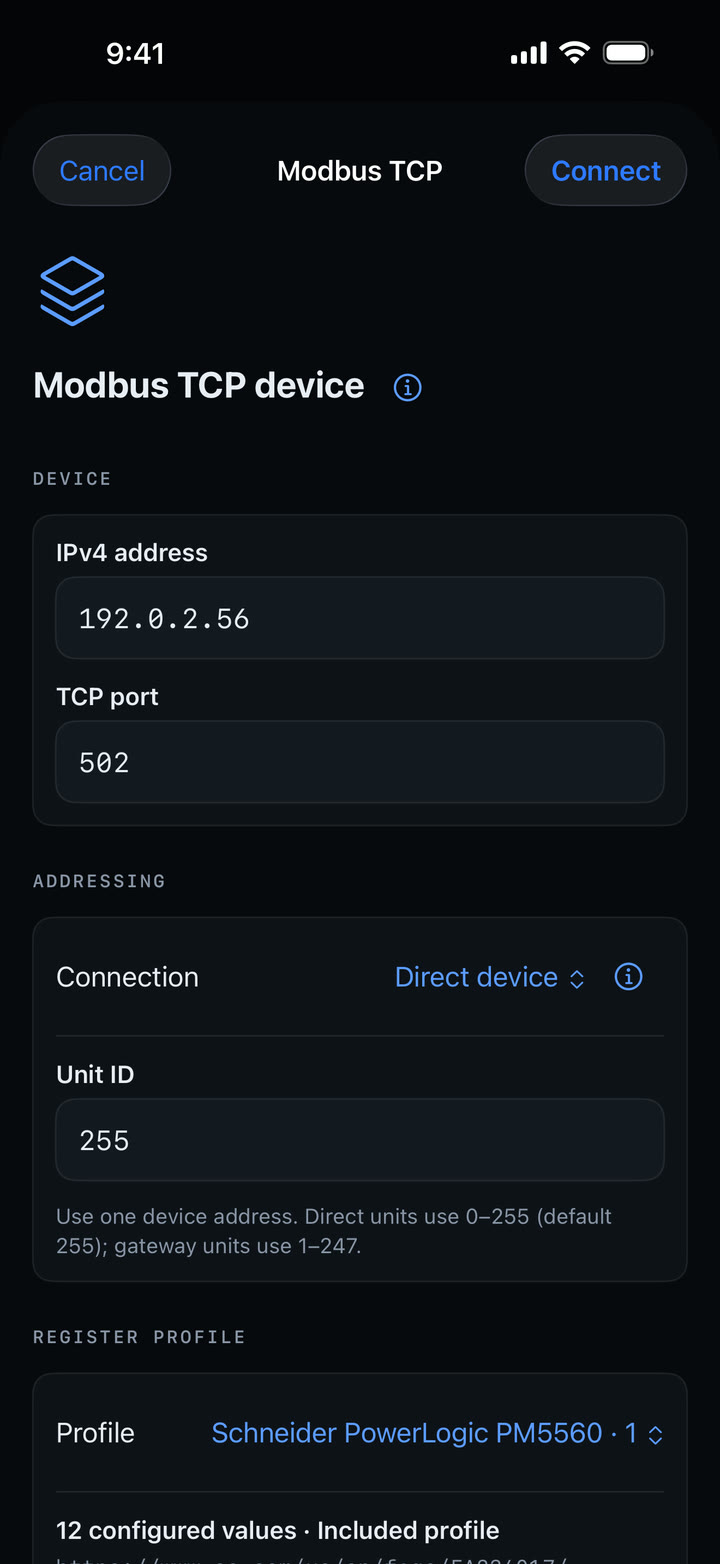
The Modbus TCP device sheet filled in: IPv4 address 192.0.2.56, TCP port 502, Direct device connection, unit ID 255 and the Schneider PowerLogic PM5560 register profile with 12 configured values.
Modbus TCPEnter the IP address, TCP port and unit ID, then choose a register profile.
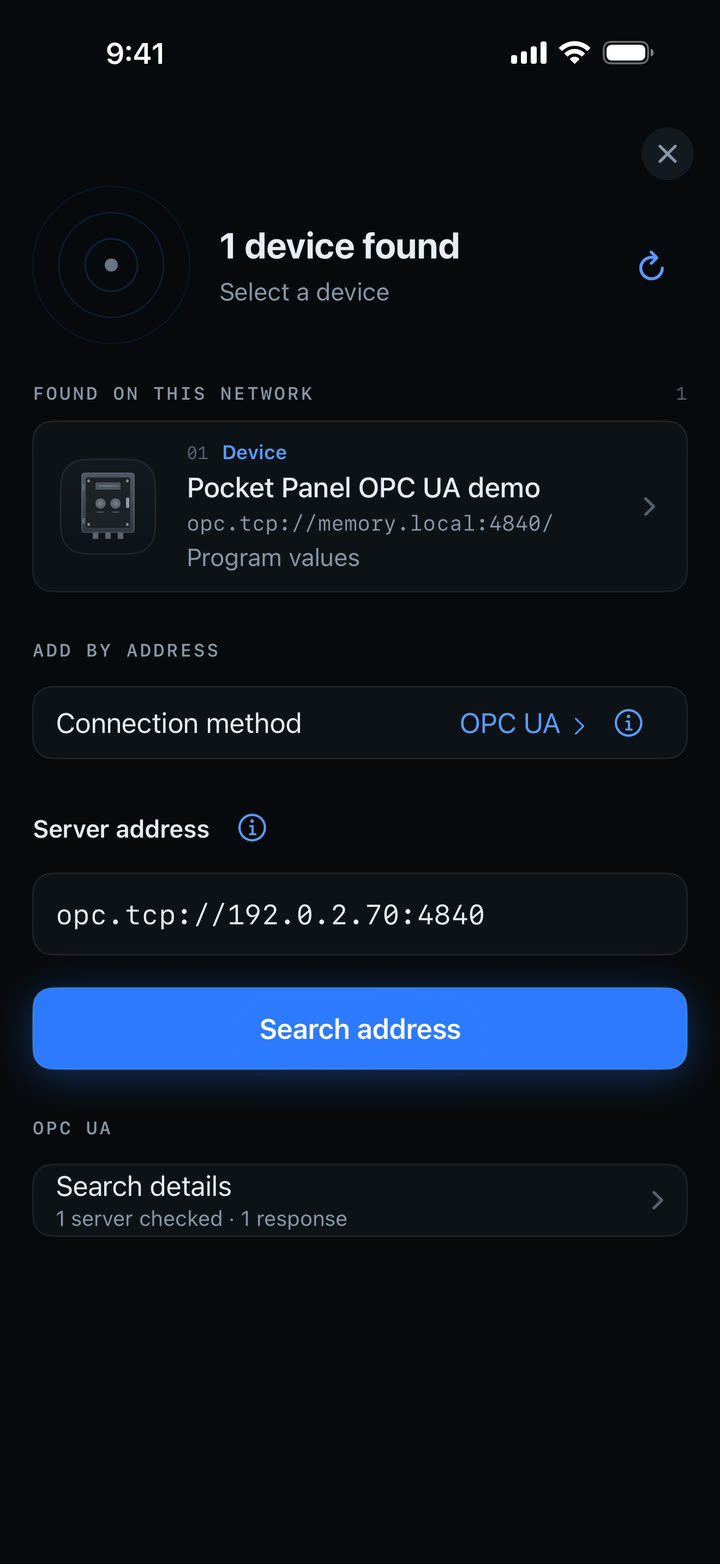
Add Device with Connection method set to OPC UA and the server address opc.tcp://192.0.2.70:4840 entered, below the Pocket Panel OPC UA demo server found on this network.
OPC UAEnter an opc.tcp:// server URL, then browse and read its values.
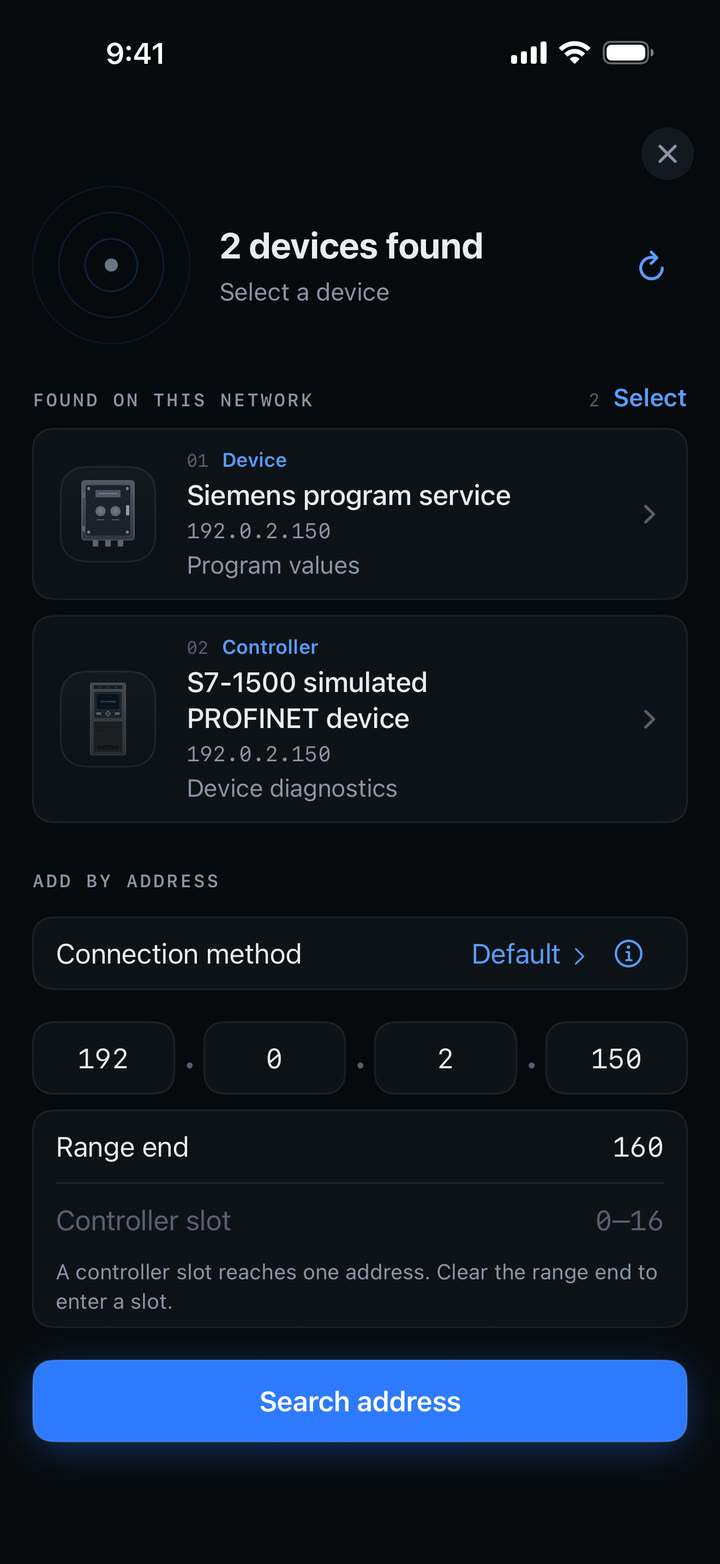
Add Device with Connection method Default, IP address 192.0.2.150 and range end 160 entered, so Controller slot is unavailable, below an S7-1500 simulated PROFINET device listed at 192.0.2.150 for device diagnostics.
PROFINETIdentify stations by IPv4 address or a bounded address range.
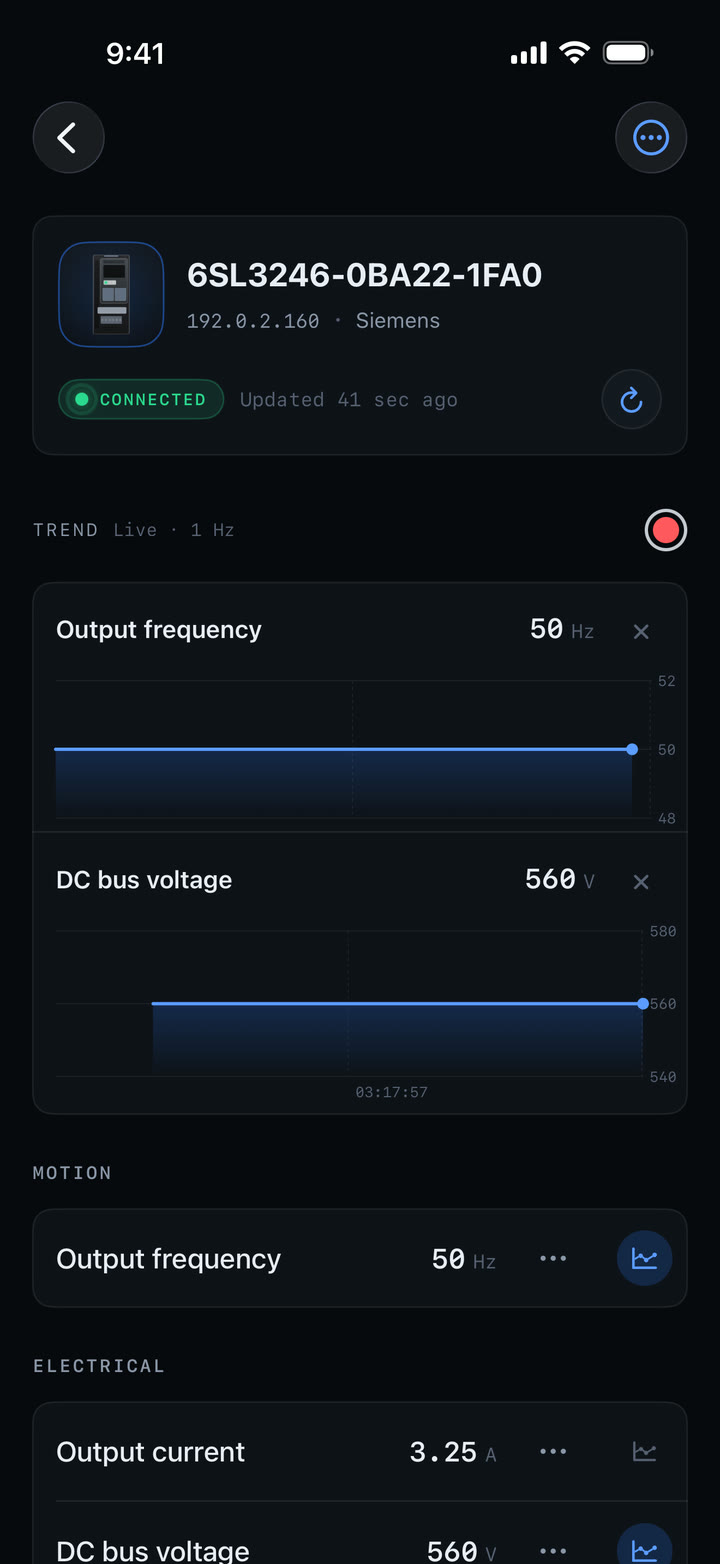
A connected SINAMICS G120 drive, 6SL3246-0BA22-1FA0 at 192.0.2.160, with live 1 Hz trends of output frequency at 50 Hz and DC bus voltage at 560 V, above its readings including output current 3.25 A.
S7Read and chart a SINAMICS G120 drive’s frequency, current and voltages.
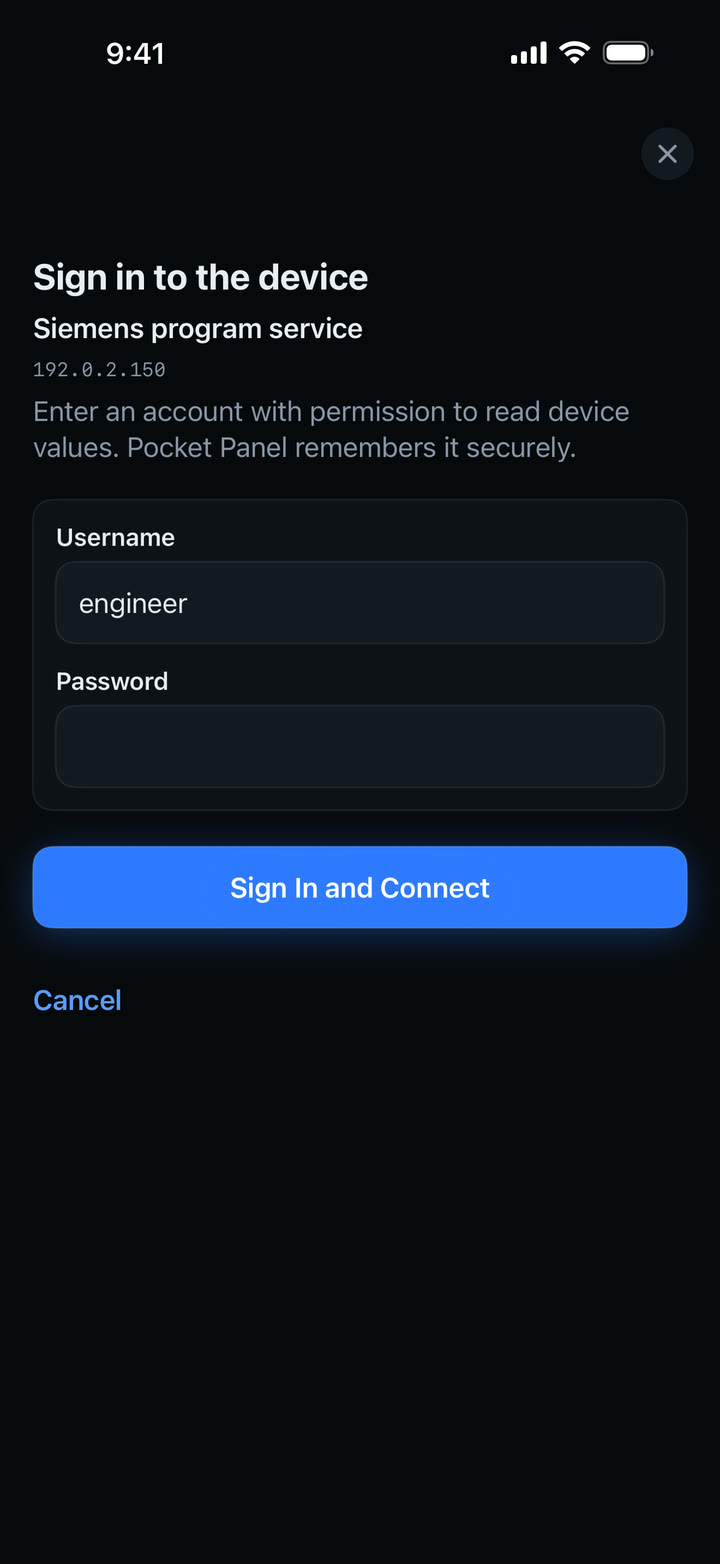
Sign in to the device for the Siemens program service at 192.0.2.150, with Username engineer and a Password entered (iOS hides it in screenshots).
SIMATIC Web APISign in with a read-permission account to read S7-1500 and S7-1200 tags.

Devices

Connect to these devices.

Allen-Bradley

  • ControlLogixEtherNet/IP
  • CompactLogixEtherNet/IP
  • GuardLogixEtherNet/IP
  • PowerFlex 525EtherNet/IP

Automated Logic

  • OptiFlexBACnet/IPModbus TCP

Delta Controls

  • ControllersBACnet/IP

Emerson

  • DeltaV PKModbus TCPOPC UA
  • DeltaV EIOCModbus TCP

Honeywell

  • WEBsBACnet/IP

Schneider Electric

  • PowerLogic PM5560Modbus TCP
  • Link150Modbus TCP
  • EGX150Modbus TCP

Siemens

  • S7-1500PROFINETSIMATIC Web API
  • S7-1200PROFINETSIMATIC Web API
  • ET 200SPPROFINET
  • SINAMICS G120S7
  • SINAMICS G120CS7
  • DesigoBACnet/IP

Tridium

  • NiagaraBACnet/IP

Pricing

Choose your plan

Free and Pro are planned for the App Store. Fleet is planned for IT-managed iPads. Prices shown in US dollars.

Free

Planned

For anyone evaluating Pocket Panel.

$0 Coming to the App Store

Includes

  • One saved operational site plus Demo Site
  • Read-only diagnostics and live device values
  • Basic I/O checkout
  • Site QR and .pocketsite import
Billing
Free App Store download.
Setup
At launch, download the app and open a site.

Pro

Planned

For solo controls engineers and technicians.

$129 per year

Or $19.99 per month. Same Pro access.

Everything in Free, plus

  • Unlimited sites
  • Multi-device watchlists and alarms
  • PDF and CSV Evidence Packs
  • Future commands as individually qualified
Billing
In-app subscription through the App Store.
Setup
At launch, download the app and subscribe in Settings.

Fleet

Pilot planned

For plant maintenance teams, OEMs and integrators.

$240 per assigned iPad per year

5 iPads minimum · $1,200 minimum annual invoice.

Everything in Pro, plus

  • Managed read-only roles and subnet allowlists
  • IT-enforced App Lock
  • Company-branded reports
Billing
Your organization pays by invoice or purchase order.
Setup
IT pushes the app and its MDM configuration. After staging, Fleet activates offline on first open. Fleet deployment guide

Email support@pocketpanelapp.com from any mail app. For a Fleet pilot, include your iPad count. We’ll discuss Intune setup and access to your plant network. Pro renews through your Apple Account until canceled. A shared shift iPad counts as one Fleet device. Site QR codes and .pocketsite files transfer site data only.